Saturday, September 24, 2011

Scavenger Hunt Sunday

It is Friday morning, and I really wanted to finish my Scavenger Hunt before I left for the weekend (girls away!)  Sure a few have to dos slid by the wayside, but my hunt is done.  Now whether my husband will link me up while I'm gone, or it'll be Sunday evening, I just have to wait and see.

Low Key:
I'll admit, I was really tempted to take pictures of my keys on the floor.  As it is, I think this still might be too bright and cheerful to qualify as low-key photography, but my husband looked at it and said, "Well, for Sunflower that is as low-key as it gets."  I also converted it to Black and White in the hopes of it fitting the prompt better.
Oh, my beautiful baby.  You will be seeing a lot of her today.

Monochromatic/Analogous Color:
I was thinking her dress qualified as analogous color with its red, orange, and yellows, and then we went to a playground with red and yellow equipment.  I thought it was quite serendipitous.

Circle:
I had other pictures of circles, but since I could not get myself to unify my processing, I unified my subject instead.  So here is Sunflower and do you see the circles of bokeh?

Scarf:
I had other pictures that showed off the scarf better, but I just love her expression in this one.

Phone:
Not the best picture, but I just love her intensity.  She was saying, "Julie, we'll be RIGHT over!"

Please do take the time to check out some other hunts.  You can learn so much and see so many fun interpretations!  I'll be visiting the hunts Sunday or Monday!


Photobucket

Thursday, September 22, 2011

Week 37 good to WOW Edit Adult Portrait

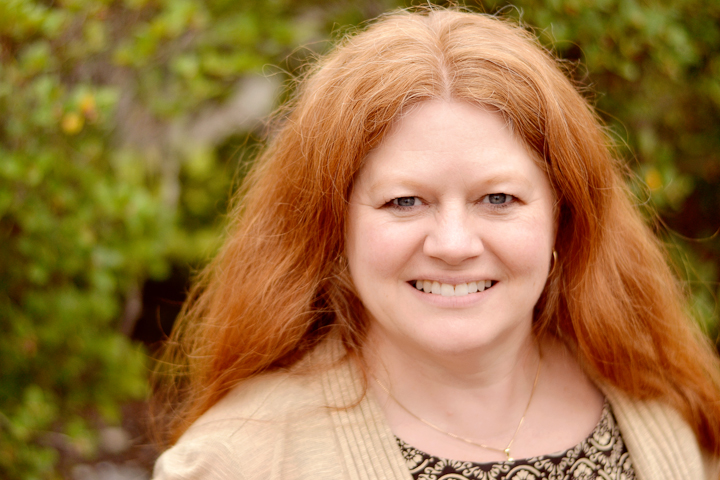
On Monday, via flickr, I shared one adult portrait I had taken of a friend from church.  She loves pictures and was a fabulous subject, though the church parking lot probably wouldn't be a location of choice for a professional photographer.  Luckily I am not a pro and a challenging location only forces you to learn more, right?

Anyway, here is the edit of the photo I shared on Monday (mouseover for original).  It might be the favorite of the 32 photos I kept, but it might not be.
I did all of my edits for this one in LR3--+25 vibrance, -20 clarity, +25 contrast, flat tone curve, and custom white balance.  I then applied these settings to all the photos.  Then I used the adjustment brushes.  I whitened her teeth and used the skin softening on her face with the brushes. 

I thought about taking it further, but I thought I would experiment with other similar photos from the day to make things interesting.  I did the same thing as above, but then for skin softening I took it into PSE.
I ran CoffeShop Blog's Perfect Portrait 3 for skin softening and since I was there also brightened the eyes a little.  Then I ran Pure's action No Ordinary Slumber...I really like the tones it adds to a photo, subtle but warm.

I'm not really sure.  The second one certainly looks a little more processed, and that is not really my goal, especially for a snapshot for a friend, but a portrait?  There are opinions on the whole spectrum of options and I just don't know what my opinion is.

But rather than send my friend 10 headshots, I thought I would work on editing one of the full body shots I liked.  I took very few because I just cannot get myself to back up!
The pasted settings, crop, +13 clarity (bringing it to -7), teeth whitening adjustment brush, and small vignette.  Really I am content there, but I decided I wanted a black and white so I took it into PSE and got this:
I know it isn't black and white, but I found the black and white too busy with this background.  I ended up just running two actions: Pure Pop and Pure No Ordinary Slumber; so easy.  (Mouseover to compare the LR3 and PSE edits.)

But I still wanted a black and white.  I know this is getting long, trust me, I know, but bear with me for one last photo and edit, if you will.
Just moved around a few sliders, +.20 exposure, +7 brightness, +2 saturation, +25 vibrance, flat tone preset, and custom white balance and I did use the skin softening adjustment brush.  Then I tried to find a BW preset in LR3 that worked.  I tried a lot of them, but it just wasn't happening for me.  So I took it into PSE again in order to use my fall back, Pioneer Women's BW, but I didn't like that either.  But I finally came up with a black and white photo.
Pure Baby Max, Pure Sunset, and Pure No Ordinary Slumber.  I guess I couldn't quite give up completely on color.

So there you have it...my edits for this week's Shoot and Edit.  Check out Ashley's blog for more portraits!


Photobucket

Monday, September 19, 2011

It's Tuesday {Almost}

Time for my favorite Tuesday links.  I cannot think of a way to link these but I want to share them.  There is no theme and it feels so random, so lets just call them all sweet.
And really what is more sweet than my baby girl with her gardening gloves unless it is...
...her picking "flowers."  I used a vintage preset in LR3 for fun.
I love this sweet boy, too.  (And their brother, but no photos of Huckleberry today.)
Sweet Shot Day
Now here is a photo I took at the beach a few weeks ago.  I really liked it though I couldn't tell you why.  It might be because it fits the analogous color scheme The Kat Eye View of the World taught about this week in Exploring with the Camera.
Blue and green being next to each other on the color wheel means this photo has analogous color, right?  So much to learn, so little time!
Then two flowers for Texture Tuesday.  Actually, two flowers with texture, but only one uses Kim Klassen's texture.
Kim Klassen Aurora 100% Soft Light; Turned 180 degrees (I don't want to tell you, but you might notice the upside down words.)
I had waited a little too long to take pictures of the flowers I got at the Farmer's Market.  Thank goodness for PSE and textures.  Sorry you didn't get to see the pretty orange flowers we bought!
kimklassencafe
Pure Love Letter Texture with Scrolls (from Pure Photoshop) 100% Soft Light masked off of flower. 
This is one of the photos that didn't get chosen for Sunday Scavenger Hunt's liquid, but now that I've edited it I might actually like it better than the chosen one.

Be sure to check out the links to see more sweet shots, explorations with a camera, and textures.  There are lots of incredible art to see!
Photobucket